Occasionally, there may be a need to have a map exchange, for example if the course overlay would otherwise clutter the map. It may be desirable to have both parts of the course on the same page. This is very easy to set up in Condes. An example is shown to the right, This example has a map exchange between part 1 and part 2, and both maps are placed on the same page, in a complete graphics layout. With Condes, you can design such a layout by using graphics objects that link to the map on a canvas.
|
|
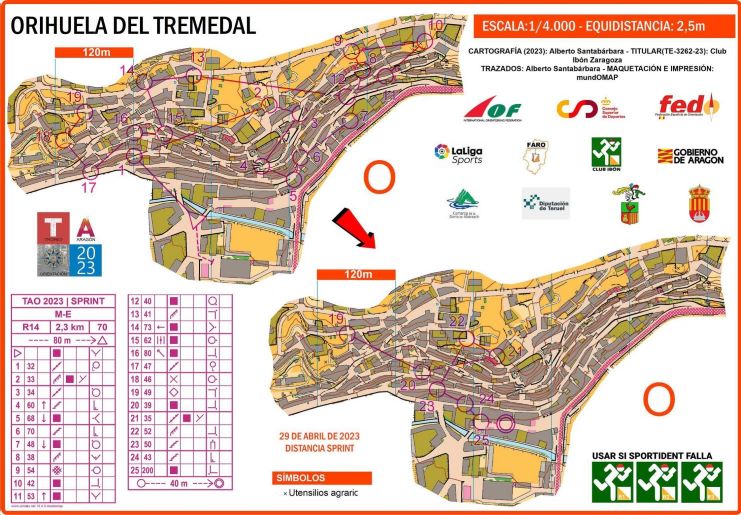
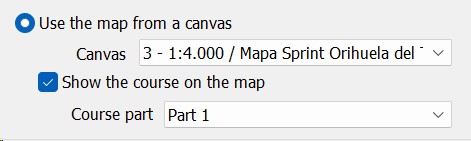
Each of the maps are created as graphics objects. The first one is configured as follows:
And the second one similarly, by choosing "Part 2".
Then, the (orange) Layout Frame is placed around the two objects, and additional graphics objects are added to create a complete layout of the page.
|
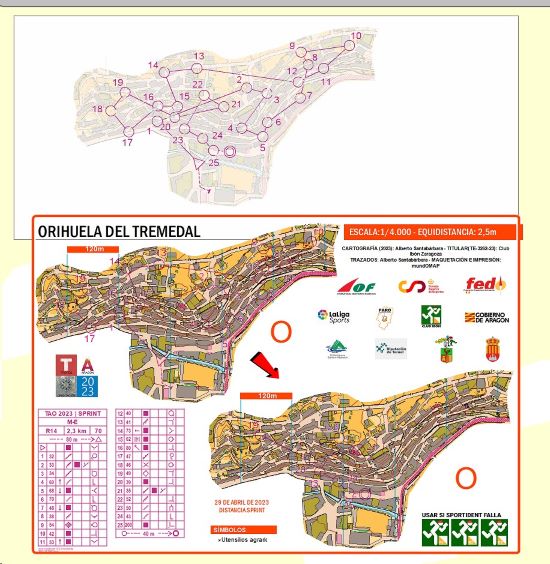
The image below shows how the entire canvas looks. The map is at the top, and this is where the course is designed. The graphics layout is placed outside (below) the map area, so in fact graphics layout is separate from the map on which the course is created. |
Thank you to the MUNDOMAP SOLUCIONES GEOMÁTICAS for providing the example