Fine tune course symbol dimensions
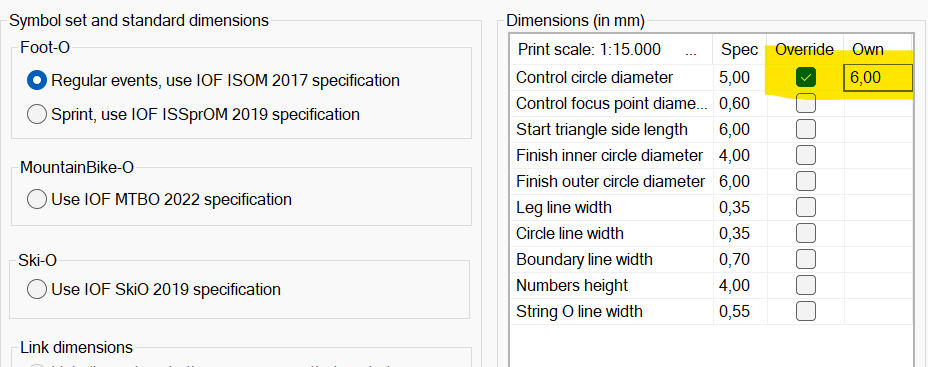
Course symbol dimensions are governed by IOF map specifications, and you configure which specification to use for each canvas. It is possible to override individual dimensions, e.g. the circle diameter, and leave the rest according to the chosen map specification
Bring up this settings dialog by using the menu Canvas / Course overprint symbols and dimensions You can override the standard dimension by checking "Override" column and entering a value in the "Own" column. An overridden dimension applies to all course symbols on that canvas. |
|